tts-server-proxy
🤔 Why
Android’s built-in TTS voices are robotic, locked to Google’s cloud, or missing entirely for your language. If you run a Qwen3-TTS server (or any OpenAI-compatible speech endpoint) you already have great, clonable voices — but Android apps can’t use them.
tts-server-proxy bridges that gap: it installs as a first-class TextToSpeechService,
so it appears in Settings → System → Languages & input → Text-to-speech output like any
commercial engine. Whatever the system asks it to speak, it synthesizes on your server and
streams back to the app that requested it.
Use cases:
- 📚 Read e-books and articles with a cloned voice you actually like
- 🗣️ Accessibility: give your phone a family member’s voice
- 🌐 Multi-language setups: one voice per language, switchable by any app
- 🔒 Keep speech 100% on your network — nothing ever leaves your LAN
⚙️ How it works
┌──────────────┐  TextToSpeech API   ┌────────────────────┐  OpenAI-compatible   ┌─────────────────────┐
│  Any Android │ ──── bind ────────► │  tts-server-proxy  │ ──── POST ─────────► │  Your GPU server    │
│  app         │ ◄── PCM 16-bit ──── │  (system engine)   │ ◄── WAV/MP3 ──────── │  Qwen3-TTS          │
└──────────────┘                     └────────────────────┘  /v1/audio/speech    └─────────────────────┘
The app speaks OpenAI’s audio-speech dialect:
POST {endpoint}/v1/audio/speech
{
  "model":  "qwen3-tts-1.7b_G0",
  "voice":  "clone:VoceItalianaAdulta",
  "input":  "Text to speak",
  "response_format": "wav"
}
- Native WAV → PCM path with zero transcoding; MP3 (or anything
MediaCodecplays) is decoded automatically as a fallback. - One model = one Android voice. Configure as many as you want, per language; apps pick them with the standard voice picker.
- Cold-start proof: if your server is asleep, the engine waits (wake-on-LAN + boot + model load can take minutes — read timeout is 420 s), runs as a foreground service while synthesizing so Android can’t kill it with the screen off, and retries fast network failures automatically.
- Requests are cancelled silently — no scary “Speech engine problem” dialogs.
📱 Installation
Option A — prebuilt APK
- Grab
tts-server-proxy-v0.6.1.apkfrom the latest release (or fromapk/in this repository). - Install it (allow “install unknown apps” if asked).
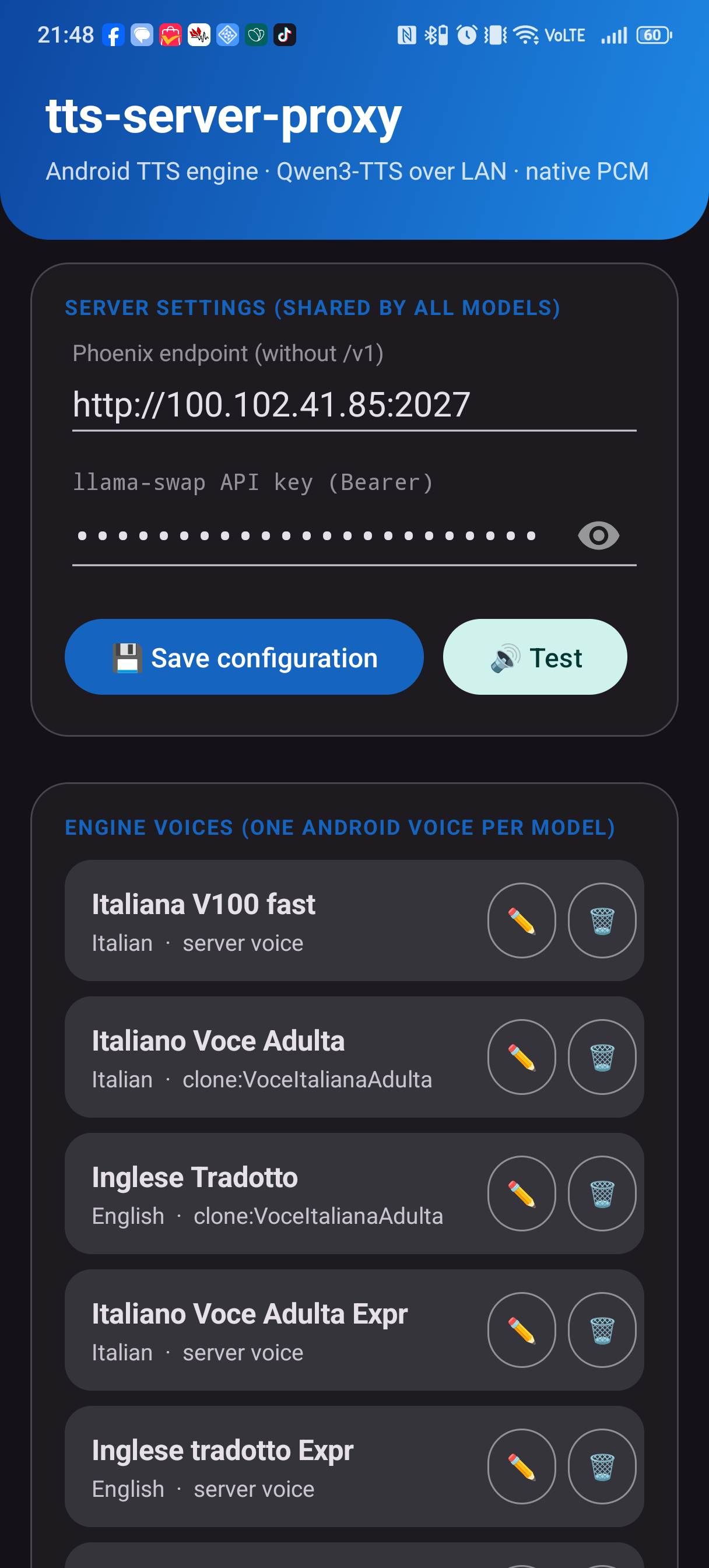
- Open the app: endpoint, model and voice come pre-filled with a sensible default — edit them, paste your API key, tap 💾 Save configuration.
- Select the engine: Settings → System → Languages & input → Text-to-speech output → tts-server-proxy
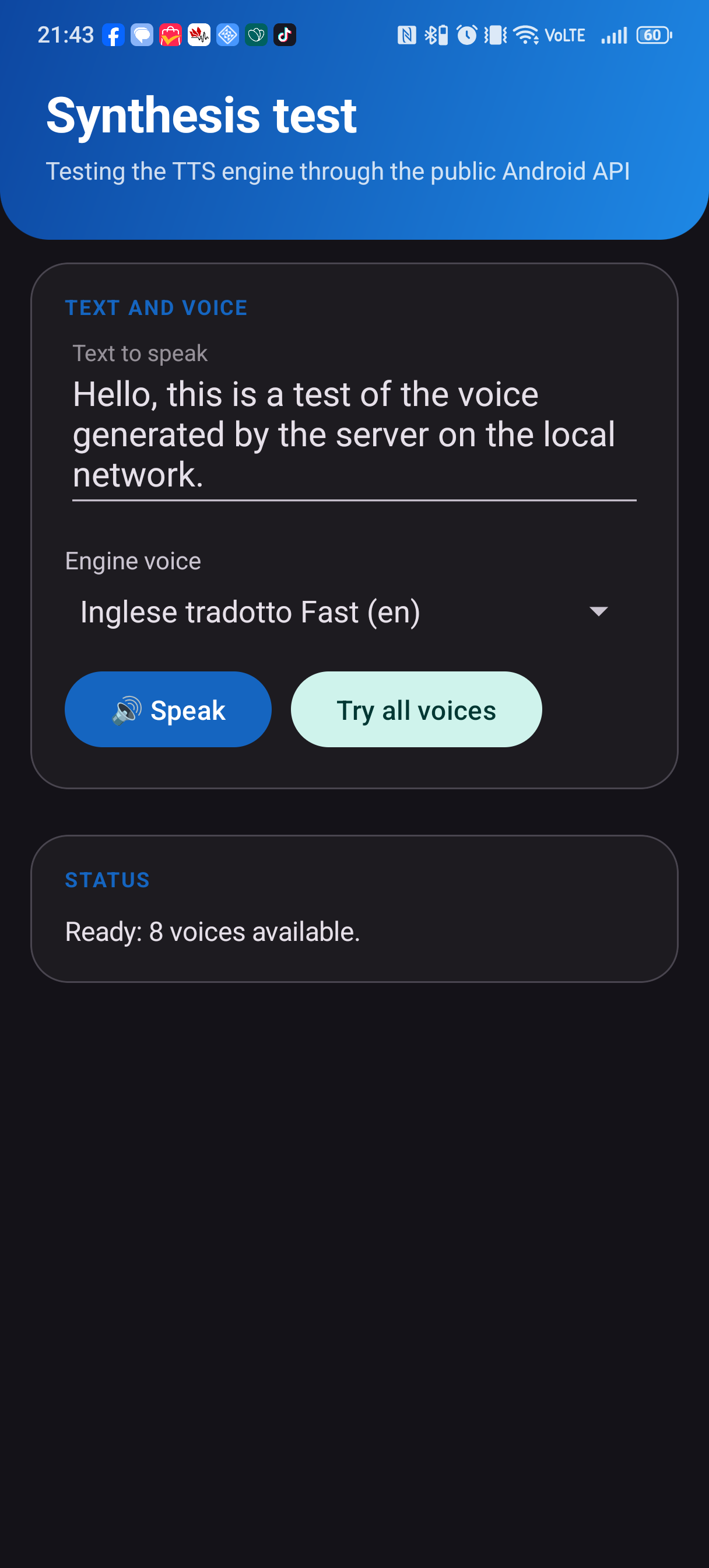
- Hit 🔊 Test synthesis inside the app and listen. 🎧
The engine also works before you ever open the app: if no configuration is found, built-in defaults are used, so a fresh install (or a reboot) keeps talking.
Option B — build from source
git clone https://github.com/manu69x/tts-server-proxy.git
cd tts-server-proxy
export ANDROID_HOME=/path/to/android-sdk
gradle :app:assembleRelease          # or :app:assembleDebug for a debug build
Requirements: JDK 17, Android SDK 35, Gradle 8.10+ (AGP 8.6). Release builds expect
app/keystore.properties + app/release.keystore.jks (not committed — see below);
debug builds work out of the box.
🖥️ Server-side
Any endpoint that accepts OpenAI-style /v1/audio/speech and returns WAV/MP3 audio will
work. The stack this app was built and tested against:
Android phone
  → Phoenix        (wake-on-LAN proxy, OpenAI-compatible front door)
  → llama-swap     (model router / pool, GPU instances)
  → Qwen3-TTS      (FastAPI serving Qwen3-TTS 0.6B/1.7B models on one or more GPUs)
You don’t need all of that — a single FastAPI service exposing /v1/audio/speech is enough.
Quick sanity check from any machine on the LAN:
curl -X POST http://YOUR_SERVER:PORT/v1/audio/speech \
  -H "Content-Type: application/json" -H "Authorization: Bearer sk-..." \
  -d '{"model":"qwen3-tts-1.7b_G0","voice":"clone:MyVoice","input":"hello","response_format":"wav"}'
No Linux box? Ready-made compatible servers
Any OpenAI-compatible /v1/audio/speech server works — including native
Windows options that need nothing but a double-click:
| Server | Difficulty | GUI | Cloning | Italian | Docs |
|---|---|---|---|---|---|
| Chatterbox-TTS-Server | ★☆☆ Easy (Windows portable, zero install) | ✅ | ✅ | ✅ | guide |
| Kokoro-FastAPI | ★★☆ Medium (Windows/uv or Docker) | ✅ | ❌ preset voices | ✅ | guide |
| AllTalk TTS V2 | ★★☆ Medium (Windows setup script) | ✅ | ✅ XTTS | ✅ | guide |
| Qwen3-TTS on Linux | ★★★ Advanced | ❌ | ✅ zero-shot | ✅ | guide |
Full comparison + per-server install instructions and the exact app config: docs/servers/README.md.
🖼️ Screenshots
| Configuration | Synthesis test | Diagnostics |
|---|---|---|
 |
 |
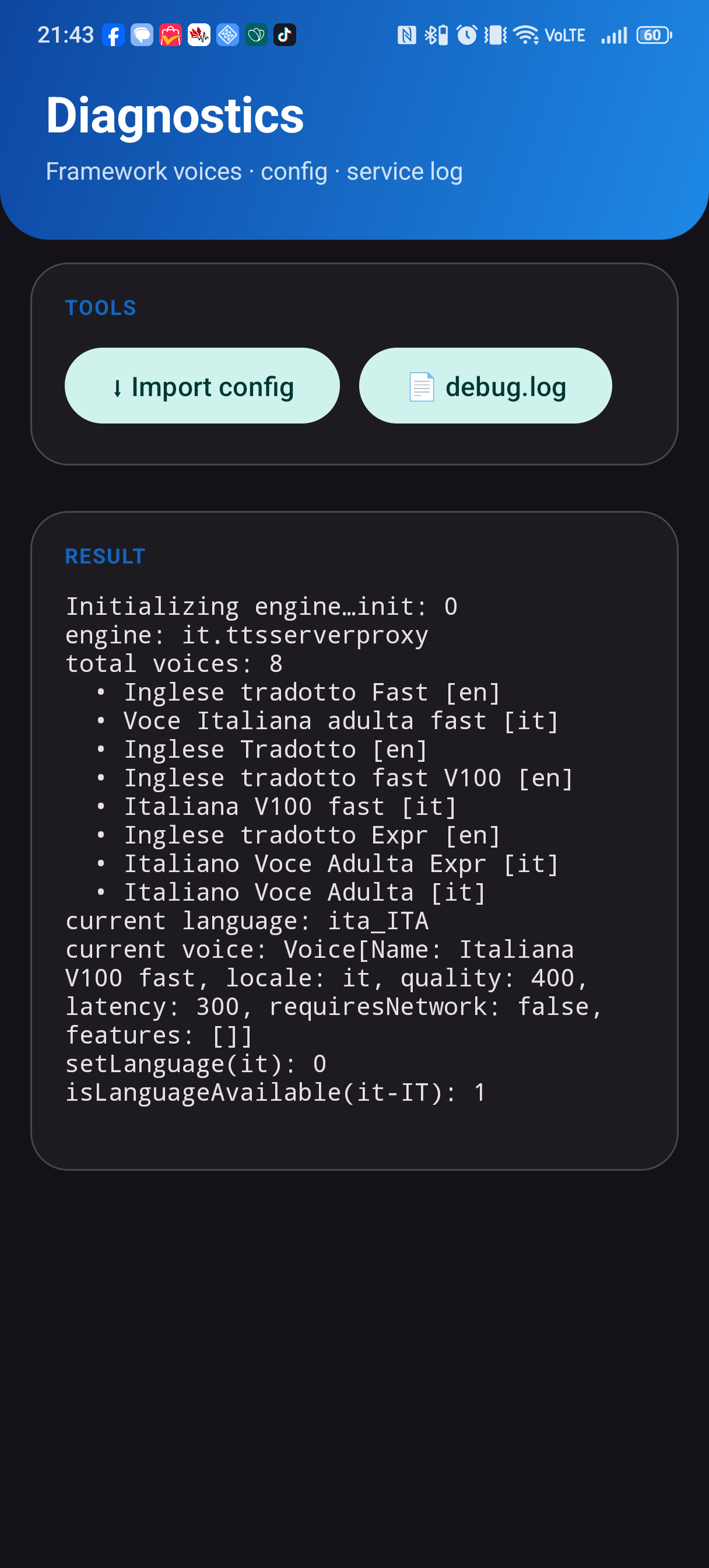 |
Material 3 UI, follows system dark mode. One model in the list = one voice in Android’s voice picker.
🧰 Features
- ✅ Genuine system TTS engine (
TextToSpeechService,BIND_TEXT_TO_SPEECH_ENGINE) - ✅ Android 8.0+ (API 26), tested on Android 15/16
- ✅ Unlimited models/voices, per-language, switchable from any app
- ✅ Material 3, dark mode, zero-clutter setup with working defaults
- ✅ Foreground service + progress notification during synthesis
- ✅ Config backup/restore via
adb push(one-tap import in the Diagnostics screen) - ✅ In-app service log (works even on ROMs where
logcatis disabled) - ✅ API key stored only on the device, sent as
Authorization: Bearer - ✅ Zero telemetry, zero cloud
🚑 Troubleshooting
| Symptom | Cause / fix |
|---|---|
| Engine doesn’t appear in the TTS list | Reboot once after install; the engine registers itself — no account needed |
| First synthesis takes 10 s–3 min | Cold start: the server wakes and loads the model. Next requests are fast (~3 s) |
| “Speech engine problem” dialog | Update to ≥ v0.3.2 — cancelled requests no longer surface errors |
| No audio on some servers | The app auto-detects MP3 and decodes it; ensure the endpoint returns valid audio |
| Wrong voice used by default | The engine picks the first model matching the requested language — order your model list accordingly |
| Need to see what’s happening | Open Diagnostics → 📄 debug.log: the service logs every synthesis step there |
🔐 Privacy & security
Speech, text and API key never leave your LAN. HTTP is used in cleartext by design — run it
on a network you trust (or wire up TLS on your front proxy). Signing keys are not in this
repository: app/keystore.properties and app/release.keystore.jks are gitignored; generate
your own with keytool to sign your builds.
📄 License
MIT — © 2026 Emanuele Viani